Once you understand the main components of VoiceboxMD, you will find it easier to navigate and enjoy its rich features.
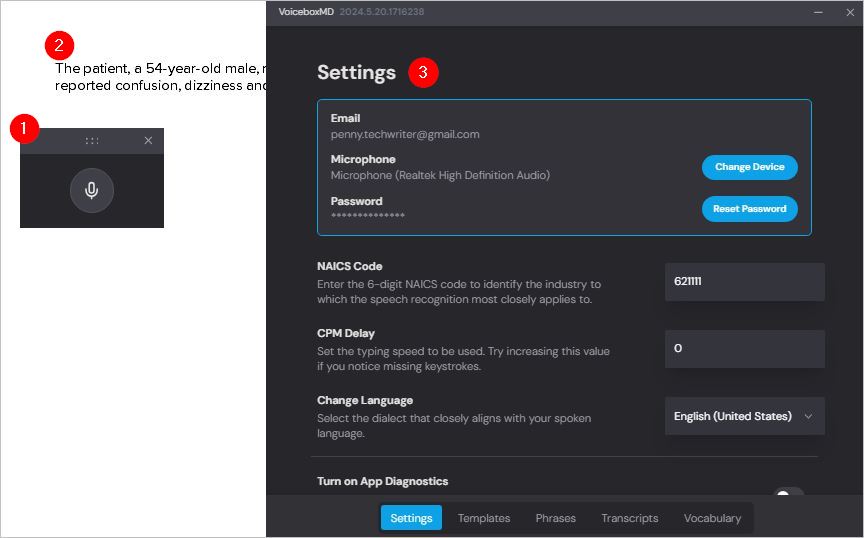
The three cornerstones of VoiceboxMD are:
- A listener – the VoiceboxMD user interface – that when switched on listens to your audio and controls the transcription process. To get started, simply click on the microphone icon.
- Any document which you wish to get text from audio, like MS Word, Google Docs, Notepad, or a medical form.
- A Control Panel that allows you to configure VoiceboxMD to suit your requirements – like language – create templates and pre-recorded audio, and teach VoiceboxMD words and phrases specific to your medical niche.
Tip: To open the Control Panel, right-click on the VoiceboxMD icon in the Windows system tray and select Settings.