VB Virtual Scribe is a HIPAA-compliant medical dictation tool that transforms your post-encounter notes into structured clinical documentation (SOAP notes) and suggests billing codes using medical-grade AI.
1. Installation & Setup #
Search for VB Virtual Scribe.
Open the App Store on your iPhone or iPad.
You have three ways to access the platform:
Tap Get to download and install the application and sign In
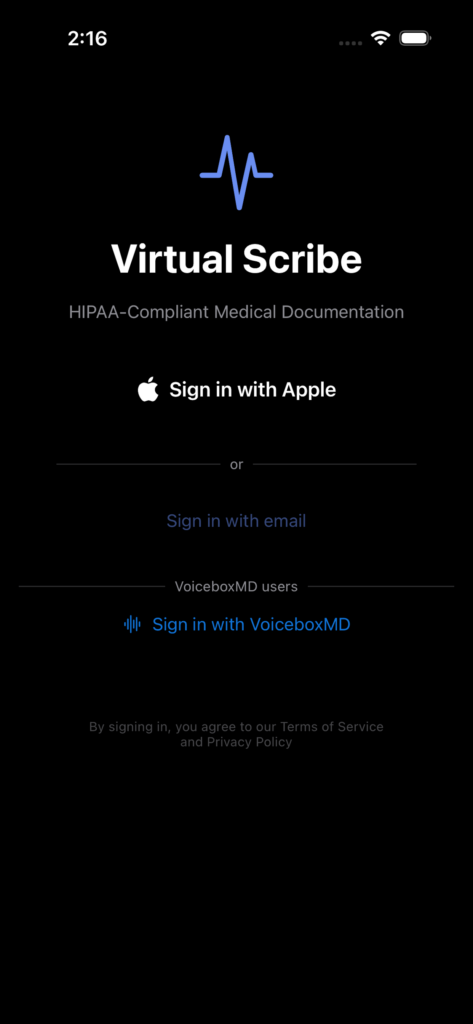
Sign in with Apple:The fastest way for new users who want an ambient scribe. Tap the “Sign in with Apple” button to create your account instantly.
Email & Password: Use your registered clinical email. (For Managed Practices)
VoiceboxMD Account: If you are an existing VoiceboxMD power plan member, you can use your current credentials to log in and bypass the standard subscription.
2. Managing Your Patients #
Before recording an encounter, you need to select or create a patient profile.
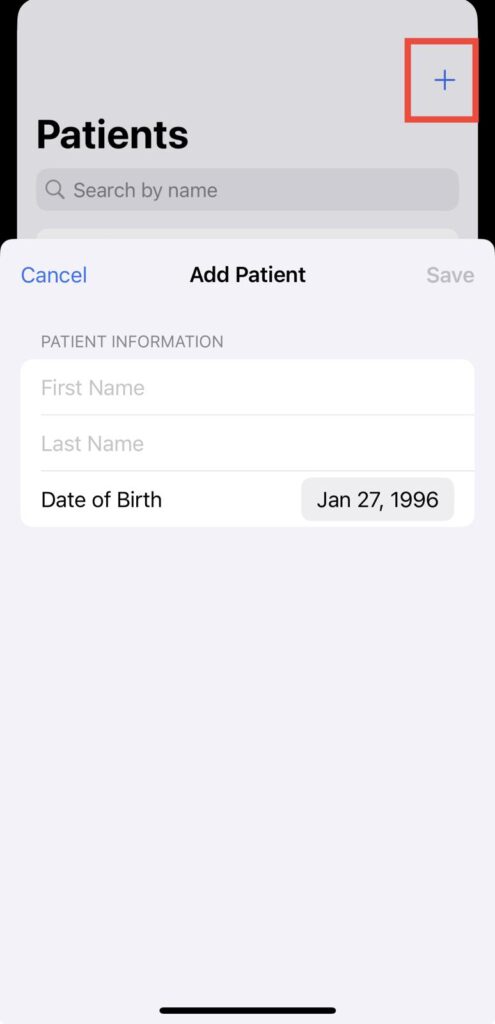
1. Tap the Patients tab at the bottom of the screen.
2. Use the Search Bar to find an existing patient by name.
3. To add a new patient, tap the + icon in the top right, enter their name and date of birth, and tap Save.
3. Recording an Encounter (The “Post-Visit” Workflow) #
Important: For HIPAA compliance and better rapport, VB Virtual Scribe is designed for single-speaker dictation after the patient has left the room.
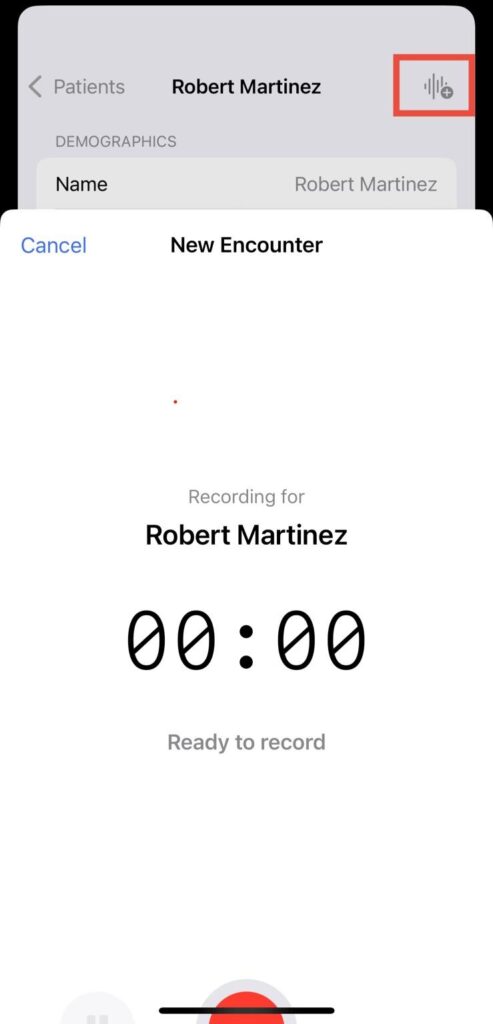
1. Select the patient from your list.
2. Tap Start Encounter.
3. The Dictation: Speak clearly into your phone. Describe the patient’s symptoms, your observations, your assessment, and the treatment plan.
4. Tap Stop when you are finished.
4. Reviewing SOAP Notes #
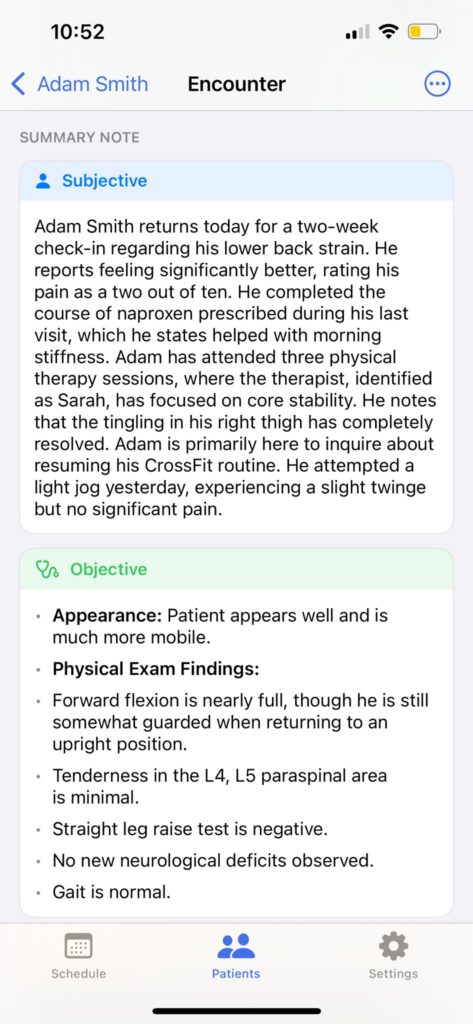
Once processing is complete (usually within 60 seconds), your dictation is organized into a professional SOAP format:
* Subjective: The patient’s history and symptoms.
* Objective: Your clinical observations and vitals.
* Assessment: Your clinical impression.
* Plan: Next steps and follow-up.
You can review the Raw Transcript at any time to verify the AI’s accuracy.
5. Using the Web Dashboard & EHR Integration #
For a larger view and easy integration with your Electronic Health Record (EHR), use the Web Dashboard.
1. Visit api.virtualscribe.app on your computer.
2. Log in with the same credentials used on your iPhone.
3. Open the encounter you just recorded.
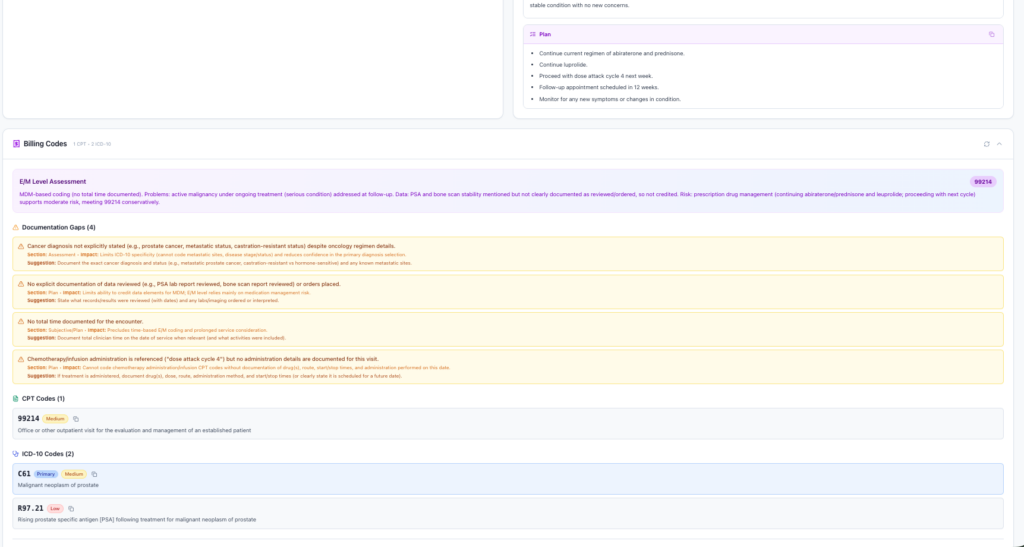
4. Copy to EHR: Use the Copy buttons next to each SOAP section to instantly paste the text into your EHR.
5. Billing Codes: Review the Scribe-suggested CPT and ICD-10 codes to streamline your billing process.
6. Managing Your Subscription #
VB Virtual Scribe offers a 7-day free trial
* Subscriptions are managed directly through your Apple ID Settings.
* To manage or cancel, go to your iPhone Settings > [Your Name] > Subscriptions
Quick Tips for Success:
Be Specific: The more clinical detail you dictate, the more accurate the billing code suggestions will be.
Check the Profile at a Glance: Before seeing a returning patient, check their profile in the app to see their “Trajectory” a summary of whether they are improving or declining based on previous visits.
PDF Export: If you need a hard copy, use the Export PDF button in the iOS app to generate a professional clinical report.